
Xe Apps
Xe-Info
FreemacOSA fast, focused Mac app for inspecting media files. Drop any clip and read its full technical spec at a glance. Built by Xenon Post for everyday post-production work.
What it does
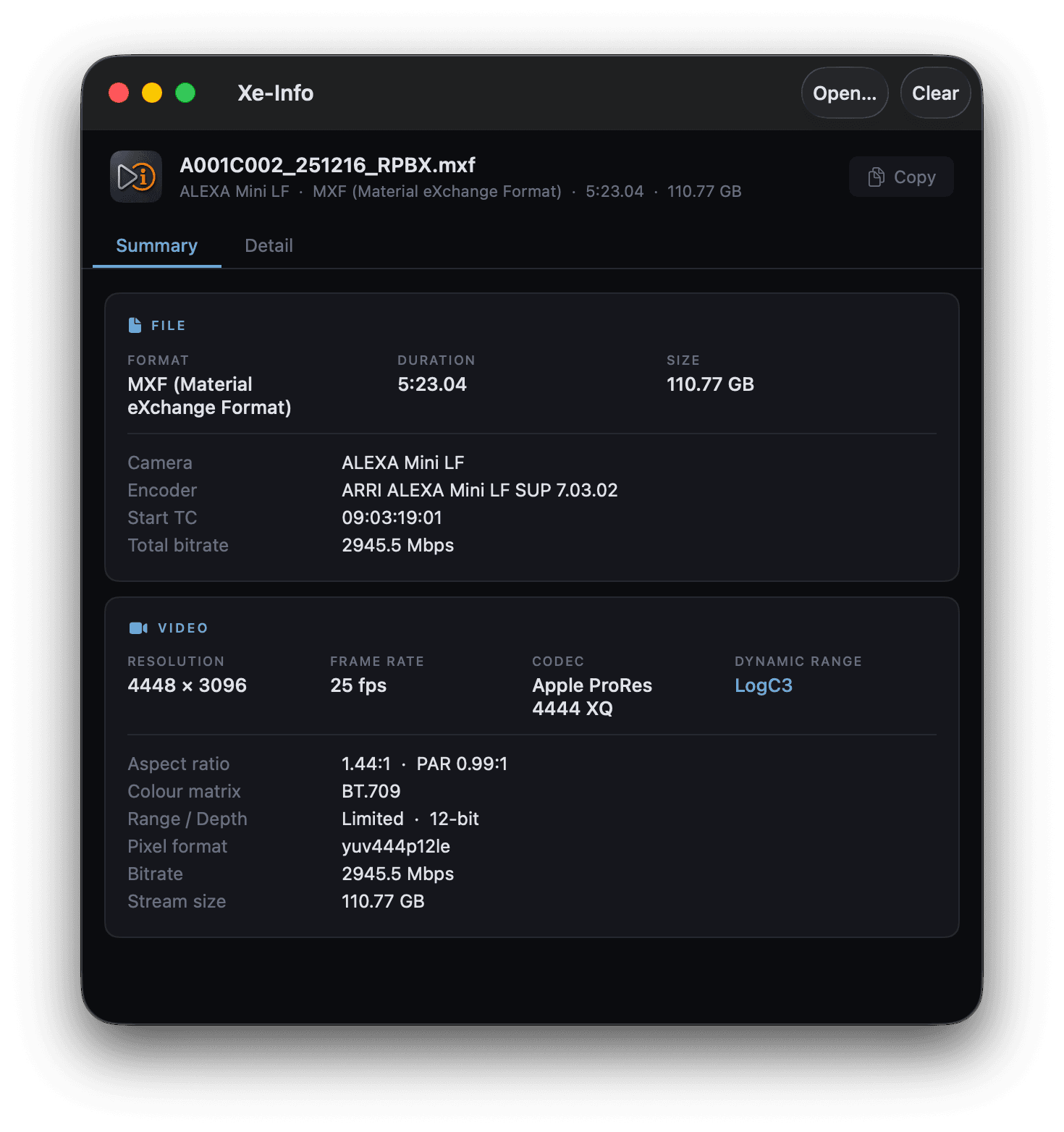
Xe-Info reads the complete technical profile of any media file the moment you drop it on the window. Codec, resolution, frame rate, colour space, bit depth, and audio layout are laid out cleanly, with no digging through menus.
Powered by bundled ffprobe, so it reads pro formats other inspectors miss. It never phones home or touches your files. Built for post workflows where you need to confirm a delivery spec fast.
How it works
Drop a file
Drag any video or audio file onto the Xe-Info window, or click to browse. It reads the file the moment it lands.
Read the spec
Video, colour, audio, and container details are laid out in clean sections. Everything you need to confirm a format or delivery spec.
Copy and move on
Grab any value or the full readout to paste into an email, spec sheet, or delivery note. No files are modified, ever.
Download
Xe-Info 1.0.23 · Free
macOS 14.0 (Sonoma) or later · Universal binary (Apple Silicon & Intel) · 53 MB
Help
System requirements
macOS 14.0 (Sonoma) or later. Xe-Info is a universal binary and runs natively on both Apple Silicon and Intel Macs, with no Rosetta required.
Supported file types
MOV, MP4, MXF, MKV, R3D, RDC (RED), BRAW, WAV, AIFF, M4V, and M4A. Bundled ffprobe, MediaInfo, and exiftool mean most professional camera and delivery formats read correctly out of the box.
Using Xe-Info
Drop a file on the window, or press ⌘O to browse for one. Xe-Info inspects one file at a time per window. Open additional windows (File → New Window) to compare several clips side by side.
Once a file loads, switch between the Summary tab (clean cards for file, video, audio, and colour/HDR info, including camera-specific fields for BRAW and Sony clips) and the Detail tab, a raw key/value dump of everything ffprobe and MediaInfo report, organised into collapsible sections. Any value in Detail can be selected and copied directly; the Copy button in the header grabs the full readout as text, ready to paste into an email or delivery note.
For scripting or automated QA, Xe-Info also has a headless mode: run "Xe Info.app/Contents/MacOS/Xe Info" --inspect <file> from Terminal to print the same technical spec as versioned JSON to stdout, with no window opening.
Does Xe-Info modify my files?
No. Xe-Info only reads files to display their metadata. Every code path is read-only, and nothing is ever written back to the media you drop on it.
Does it work offline?
Yes. Analysis runs entirely on your machine against the bundled ffprobe, MediaInfo, and exiftool binaries. No file data is ever uploaded anywhere. The only network calls are for the optional Sparkle update check.
Can I inspect several files at once?
Not within a single window. Xe-Info reads one file at a time. Open a new window per clip (File → New Window) if you want to compare several side by side.
Why won't a file open?
If a file won't inspect, it's usually a corrupted or unusual container. Bundled ffprobe/MediaInfo/exiftool cover most professional formats, so get in touch below with the file's details and we'll take a look.
How do updates work?
Xe-Info checks for updates automatically and can also be checked manually from the app menu (“Check for Updates…”). Updates install in place, with no need to re-download from this page.
Feedback
Found a bug, hit an unsupported format, or have a feature request? We read every message.
Email support@xenon-post.com